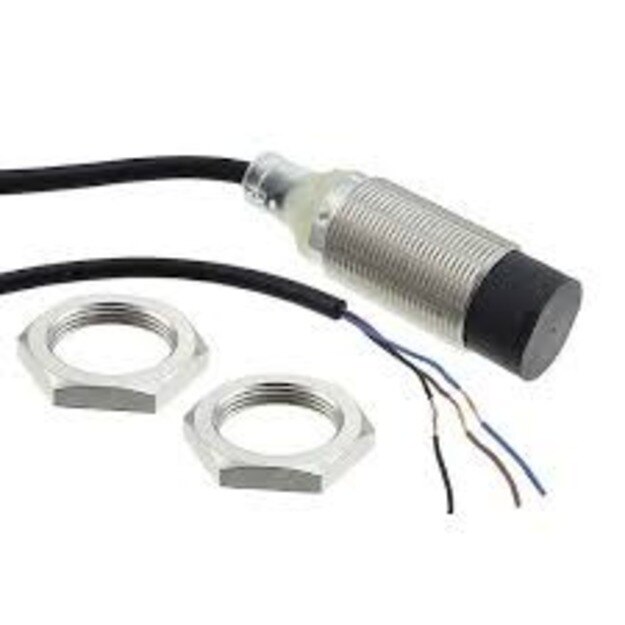
The purchase is worthwhile only when the sensor’s electrical, mechanical, and environmental fit reduces failures that cost more than its price premium. By the end, you will be able to compare sensor types, read an Omron model specification, check PLC compatibility, and calculate whether the replacement makes financial sense for your plant.
Key takeaways
- Choose Omron when downtime or tooling damage exceeds the sensor price difference.
- Use inductive sensors for metal and capacitive sensors for non-metal materials.
- Verify the model number, sensing distance, output type and environmental rating.
- Test sensor, PLC wiring and mounting performance before plant-wide standardisation.
When the higher sensor price pays for itself
Choose an Omron proximity switch when one missed detection, damaged tool, or unplanned line stop costs more than the sensor’s price difference.
That is the practical test for “Is an Omron proximity switch worth it for manufacturing plants in Pune?” Calculate industrial proximity switch value using the sensor, connector, bracket, commissioning hours, spare stock, and PLC troubleshooting time.
| Option | What you pay for | When the premium is justified |
|---|---|---|
| Lower-cost equivalent | Lower purchase price | It matches target material, sensing distance, output, speed, IP rating, and mounting, with comparable measured reliability |
| Omron standard model | Approved family and familiar replacement | Multiple lines share models, connectors, and wiring, reducing spare variety and maintenance errors |
| Omron IO-Link model | Diagnostics, identification, and warning data | The line already has an IO-Link master, compatible PLC integration, and staff able to commission it |
Approve the higher-priced model only after comparing at least one technically equivalent alternative. Record false-trigger rate, replacement interval, local spare availability, technician familiarity, and downtime cost during a controlled plant trial.
Standardisation pays only when the approved models cover your metal types, mounting limits, conveyor speed, and exposure to oil, dust, or washdown. Do not count a standard proximity switch as a safety device: guard interlocking, emergency stopping, and hazardous-restart prevention require a safety-rated architecture selected through risk assessment.
A connector that fits does not prove PNP/NPN, normally open/normally closed, or two-wire/three-wire compatibility.
Choose the sensing principle for the material and task
An inductive proximity switch fits metal parts because its electromagnetic field detects a conductive target without contact. Check the correction factor: aluminium, brass, copper, and stainless steel can produce a shorter sensing distance than the standard steel target used for rating an E2E model.
| Target or task | Best principle | What to check |
|---|---|---|
| Ferrous metal parts | Inductive | Steel gives the strongest range; confirm target size, shape, approach direction, and flush or non-flush mounting. |
| Aluminium, brass, copper, stainless steel | Inductive | Apply the model’s material correction factor before setting the gap. |
| Plastic, glass, wood, cartons | Photoelectric | Use through-beam, retro-reflective, or diffuse-reflective sensing; colour, transparency, dust, and background affect reliability. |
| Liquids and powders | Capacitive | Adjust sensitivity for dielectric changes; buildup on the sensing face can cause false detection. |
| Guard doors, slides, end positions | Mechanical limit switch | Choose it when positive physical actuation matters more than contactless operation; expect wear and alignment work. |
For conveyor counting, press position confirmation, pallet presence, and robot-part verification, select the principle from the target rather than the brand. A capacitive sensor can detect metal too, but an inductive model is usually more selective and less affected by nearby non-metal material. A photoelectric sensor suits mixed materials and longer gaps.
- Use a flush model when the face must sit level with surrounding metal.
- Use a non-flush model only with the specified clearance; the machine frame can otherwise trigger it.
- The Omron proximity switch benefits in Pune include consistent selection across lines, but only when approved models cover every target material, speed, mounting constraint, and dust or coolant exposure.
Read the model number before approving the installation
A model number can hide the difference between a reliable detector and an expensive source of missed counts. Treat an omron sensor for manufacturing plants as a model-specific device: confirm its sensing principle, rated sensing distance, target-material correction factor, output, supply voltage, response frequency, mounting style, and IP rating before approving it.
Check these points against the machine drawing and a physical target:
- For steel, aluminium, brass, copper, or stainless steel, apply the model’s stated correction factor; the catalogue distance is based on a specified standard target, not every metal.
- Keep the operating gap below the rated maximum to absorb bracket movement, shaft run-out, vibration, and pallet-position variation.
- For high-speed conveyors, compare response frequency with target width, gap, part speed, PLC scan time, and input-filter settings. A stationary test can pass while narrow moving parts disappear.
- Confirm shielded or unshielded mounting, flush clearance, approach direction, and target size. Incorrect metal surrounding the face can change the sensing field.
- Match the sensor body and connector to coolant, cutting fluid, dust, washdown, and monsoon moisture. The body’s IP rating does not seal an unprotected M8 or M12 connection.
| Specification | Verify before installation | Wrong choice causes |
|---|---|---|
| Target material and range | Correction factor and repeatable gap | Missed aluminium or stainless parts |
| Speed | Response frequency plus PLC input timing | Missed conveyor counts |
| Mounting | Flush/protruding requirement and clearances | False triggers or shortened range |
| Environment | Body and connector IP ratings | Moisture or coolant failures |
| IO-Link | Master, PLC support, and commissioning tools | No diagnostic data from the upgrade |
Match the sensor to the PLC, wiring, and machine environment
A connector that fits proves only mechanical compatibility. Before connecting a proximity switch for factory automation in Pune, confirm the sensor’s electrical and environmental limits against the actual PLC input card.
1. Read the complete model code and datasheet. Verify PNP or NPN output, normally open or normally closed logic, two-wire or three-wire wiring, and the supply range, such as 10–32 VDC. Match the output convention to the PLC or remote-I/O input; a matching M8 or M12 plug does not guarantee a usable signal.
2. Draw the terminal connection before applying power. Identify brown, blue, and black conductors on a three-wire DC model, then check the PLC common and input polarity. A two-wire sensor can behave differently from a three-wire sensor, including leakage current that keeps an input falsely on.
3. Decide whether the sensor is for control or protection. A standard proximity switch is not a personnel-safety device. Use a certified safety-rated device and the required safety relay or safety PLC when failure could expose someone to hazardous motion.
4. Match the exact sensor and connector IP ratings to coolant, cutting fluid, dust, washdown, and monsoon moisture. An IP-rated body does not protect an unsealed connector.
5. Check response frequency against target speed, pulse width, and PLC scan time. Route the cable away from motor, inverter, and solenoid wiring; follow the manufacturer’s shield and grounding method. Noise-induced pulses can look like sensor failure.
Run a plant-level comparison before standardising the purchase
A plant-level trial is the only reliable answer to whether an Omron proximity switch is worth it for manufacturing plants in Pune. Compare one exact Omron model with a technically equivalent alternative on the same machine, target, mounting position, cable route, and PLC input.
1. Run both sensors through normal production and controlled fault tests. Record missed detections, false triggers, response at line speed, and performance after exposure to coolant, dust, vibration, and washdown.
2. Cost each installation, not just the sensor. Include connector and cable, bracket, commissioning hours, PLC troubleshooting, technician travel, and the production loss from one unplanned stop.
3. Check the replacement interval over a defined trial period. Record damaged connectors, loose mounting, intermittent signals, and the time needed to diagnose each failure.
4. Ask Pune distributors or service partners for actual stock positions and replenishment times. A lower-priced sensor loses its advantage if an urgent replacement must be transported from another city.
5. Score technician familiarity and spare-part commonality. A limited approved list of connector styles, output types, sensing distances, and sensor families reduces wrong substitutions and inventory variety.
6. Approve standardisation only if the chosen models cover each line’s target metals, mounting constraints, response frequency, ingress exposure, and PLC interface. SAI CONTROL SYSTEM can help compare a plant’s existing alternatives against those installation details rather than brand reputation alone.
Keep the trial records with model numbers and failure conditions. The industrial proximity switch value is the avoided downtime and maintenance effort, not the name printed on the housing.
Related product
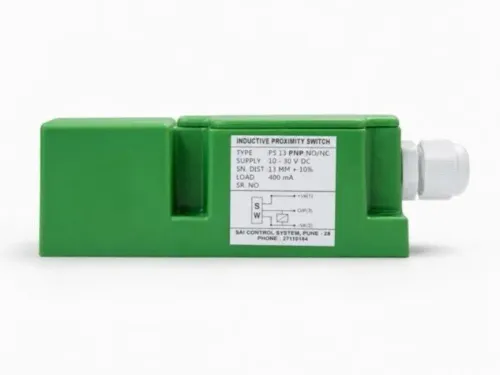
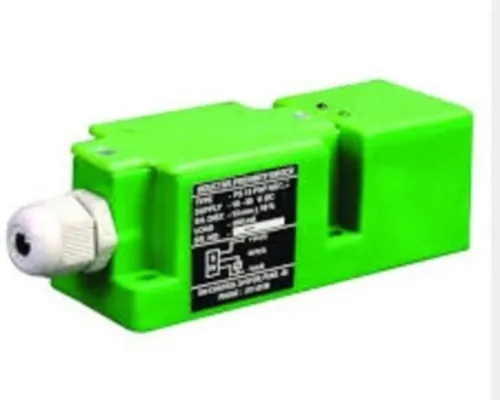
 | Proximity Switches The Omron Proximity Switch is a robust and dependable sensing device designed to deliver accurate object detection across a wide range of industrial... View product → |
Frequently asked questions
When does an Omron proximity switch pay for itself?
It pays for itself when preventing one missed detection, damaged tool or unplanned line stop saves more than its price difference.
Which proximity sensing principle should a Pune plant choose?
Choose inductive sensing for metal targets, capacitive sensing for materials such as plastic or powder, and photoelectric sensing when the target or distance suits optical detection.
What should you check in an Omron proximity switch model number?
Check the sensing principle, sensing distance, barrel or mounting style, output type, supply voltage, connection, protection rating and operating temperature.
How do you compare proximity switches before standardising a plant purchase?
Compare detection reliability, false-trigger risk, installation effort, PLC compatibility, environmental resistance, replacement availability and total downtime cost across representative machines.